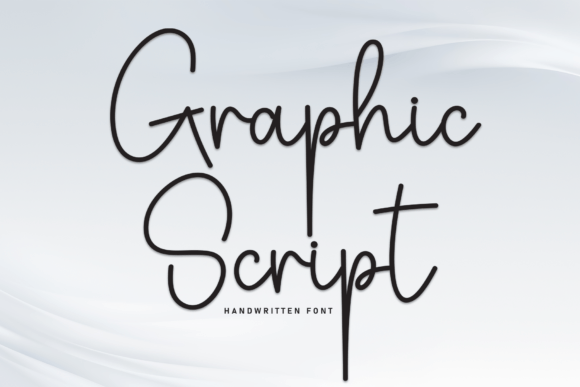
Graphic Script: The Creative Font That Adds Instant Personality
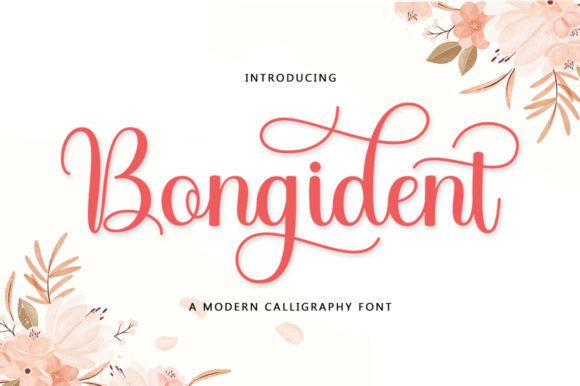
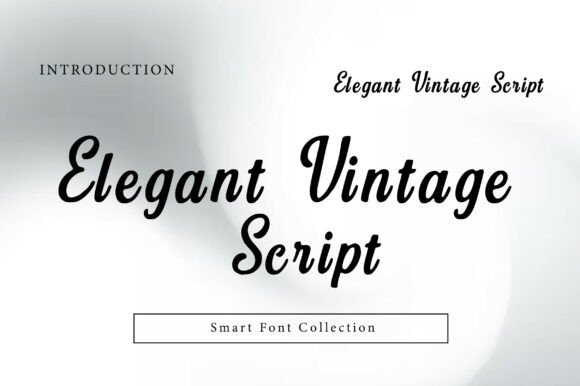
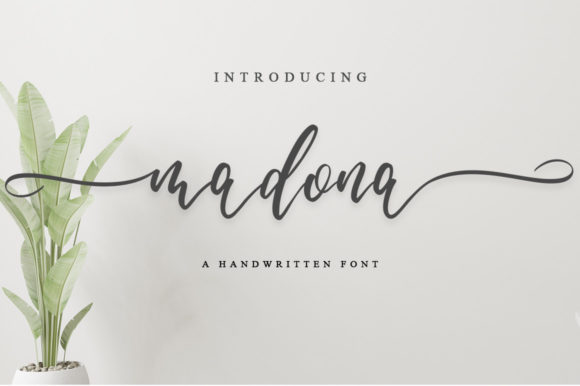
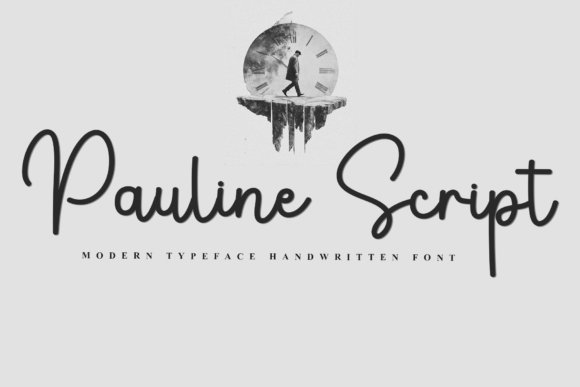
There’s a reason certain fonts make you stop scrolling. They carry a human touch that sterile, geometric typefaces simply can’t replicate. Graphic Script is exactly that kind of attention-grabber. As a modern script font, it mimics the natural flow of a pen hitting paper, creating a visual rhythm that feels personal and artistic. Unlike rigid sans serif font families or traditional serif font options, this handwritten font style connects letters in a fluid motion, bridging the gap between digital precision and human imperfection.
For designers and entrepreneurs, choosing a typeface is rarely just about aesthetics; it is about strategy. You need a font that communicates a specific mood instantly. Graphic Script excels here because it balances elegance with legibility. It doesn't try to be a carbon copy of messy cursive. Instead, it offers a polished, intentional flow that suggests creativity without sacrificing professionalism. If you are looking to inject warmth into your branding or editorial layouts, this font provides that solution without requiring complex custom lettering.
Where Graphic Script Fits Best in Modern Design
Understanding where to deploy a display font like Graphic Script is just as important as selecting it. Because of its flowing nature, it functions best in environments where personality drives engagement. It is not the right choice for long-form body text in a legal document, but it is a powerhouse for headlines and accents.
In brand identity work, Graphic Script shines for lifestyle brands, artisanal products, and boutique services. Imagine a coffee roaster’s logo or a wedding planner’s business card; the font adds an immediate layer of sophistication and care. It tells the customer that there is a human behind the brand who values aesthetics. Similarly, in packaging design, using this script font for product names can make a bottle or box stand out on a crowded shelf, distinguishing it from mass-market competitors.
Digital applications are equally compelling. In web design, you might use Graphic Script for hero section headlines to draw the eye, but pair it with a clean, readable body font for the actual content. For social media graphics, this font is invaluable. It creates the kind of "stop the scroll" effect necessary for Instagram stories or Pinterest pins. It feels native to platforms that prioritize personal connection and visual storytelling. Whether you are creating a quote graphic or a sale announcement, the font adds a layer of urgency and exclusivity.
The Impact on Brand Perception and Readability
Fonts are silent ambassadors. The moment a viewer sees Graphic Script, their brain processes specific emotional cues. Because it resembles handwriting, it triggers associations with authenticity, effort, and bespoke quality. This is a critical psychological lever for small business owners. Using a premium font like this signals that you have invested in your design assets. It moves a brand away from looking "template-based" toward looking curated.
However, the influence on readability requires careful management. Script fonts, by nature, have lower legibility at small sizes compared to standard sans serifs. The connecting strokes can blur together if the text is too small or the background is too busy. Therefore, Graphic Script is best utilized as a creative font for short bursts of text—headlines, sub-headers, or call-to-action buttons.
Visual hierarchy is another area where this typeface proves its worth. In editorial design, such as magazine layouts or blog graphics, mixing Graphic Script with a sturdy serif or sans serif creates immediate contrast. The script draws the eye to the most important information (the hook), while the secondary font handles the heavy lifting of information delivery. This interplay keeps the reader engaged without overwhelming them with decorative text.
Practical Guide to Choosing and Pairing Graphic Script
Adopting a new font into your workflow involves more than just downloading a file. To get the most out of Graphic Script, you need to treat it as a versatile tool rather than a one-trick pony. Here is how to approach the implementation process for maximum impact.
Evaluating Project Fit and Licensing
Before you commit, evaluate the "voice" of your project. Graphic Script speaks the language of elegance and creativity. If you are designing a corporate banking report, it is likely the wrong fit. If you are designing a bakery menu, a beauty brand, or a podcast cover, it is perfect.
Furthermore, always check the licensing. If you are using this for a client’s logo design, ensure your license covers commercial use and logo embedding. Many commercial font licenses vary between desktop use, web embedding (WOFF), and app usage. Understanding these terms prevents legal headaches later.
Mastering Font Pairing
The success of Graphic Script often depends on its neighbors. Because it is a high-personality font, it needs a grounding partner. A common rule in modern typography is to pair a decorative font with a neutral one.
- The Classic Duo: Pair Graphic Script with a geometric sans serif font. The clean lines of the sans serif allow the curves of the script to pop without visual competition. This works exceptionally well for web headers and business cards.
- The Editorial Look: Combine it with a traditional serif font. This creates a vintage or high-fashion aesthetic, perfect for editorial design or upscale branding.
Avoid pairing it with other script fonts or overly ornate display fonts, as this creates visual chaos and reduces readability.
Technical Considerations and Styles
When you purchase a premium font like Graphic Script, look at the included styles. Does it come with alternates? Many high-quality script fonts include different versions of specific letters (like lowercase 'b' or 'h') to help you customize the flow. They may also include ligatures—special connections between letters that make the text look more natural.
Test the font in your specific context. Create a mockup of your social media graphics or website layout. Zoom out to see if the headline is still legible at a glance. Check how it renders on mobile devices, as script fonts can sometimes lose detail on smaller, lower-resolution screens. If the loops in the letters close up, you may need to increase the font size or letter-spacing slightly.
Real-World Application Scenarios
Let’s look at how different professionals can leverage this asset:
- For the Blogger: Use Graphic Script for your blog post titles to create a cohesive, stylish look that distinguishes your headers from the body text. It helps in establishing a recognizable brand voice.
- For the Event Planner: Use it for digital invitations. The handwritten feel adds a personal touch that generic system fonts lack, making the invitation feel more exclusive.
- For the Etsy Seller: Apply it to your packaging design inserts or thank-you cards. It reinforces the handmade nature of your products.
Ultimately, Graphic Script is more than just a font; it is a design strategy. It allows you to communicate warmth, creativity, and attention to detail in a split second. By pairing it wisely and using it where it shines—in headlines and logos—you can elevate your visual communication from standard to standout. Whether you are refreshing a brand identity or crafting a new marketing campaign, this script font offers the perfect blend of artistic flair and professional utility.